How to Make Your First Deposit on PORSCHE PLAY Using GCash
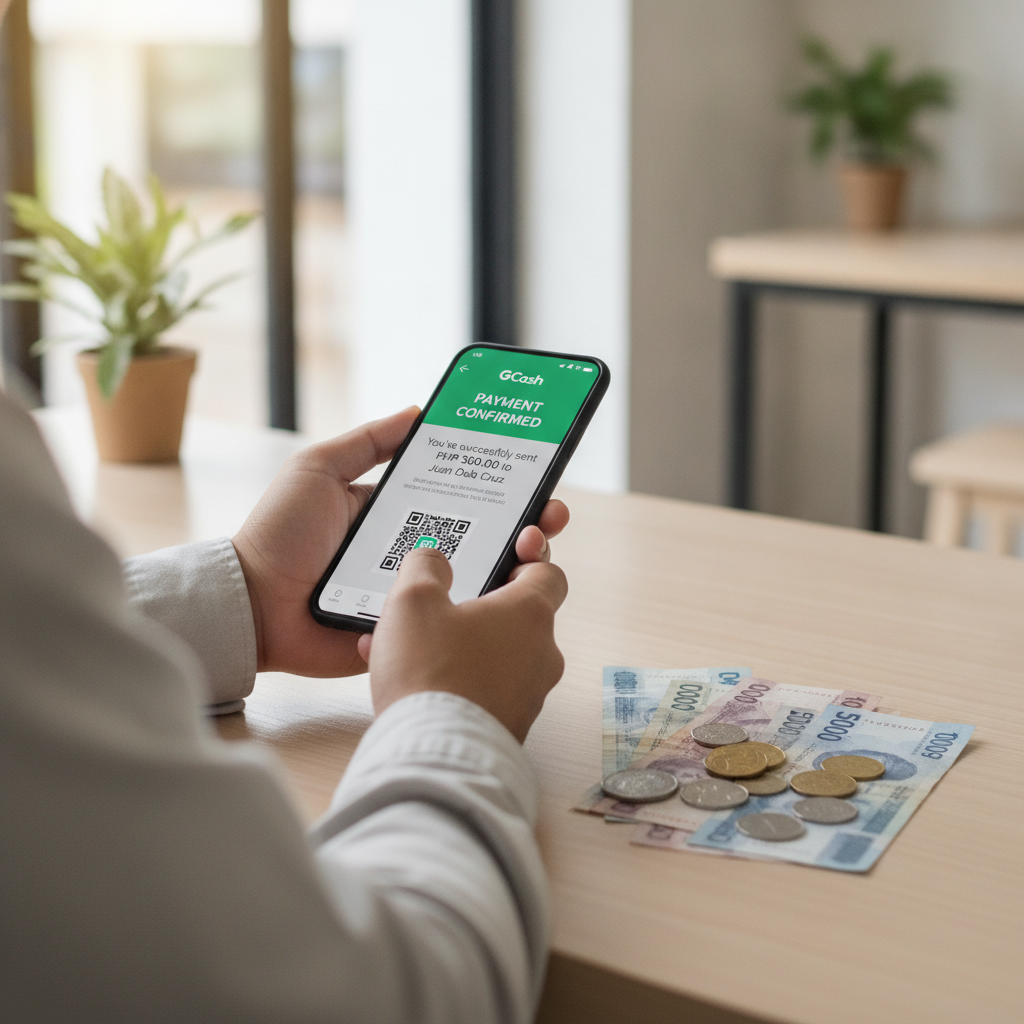
Step-by-Step GCash Deposit Walkthrough
Making your first deposit on PORSCHE PLAY with GCash takes only a few minutes once your account is verified. This guide walks through every step from logging in to seeing your balance update.
Before you start: You need a registered PORSCHE PLAY account and a verified GCash wallet with enough balance to cover your deposit.
- Log in to PORSCHE PLAY using your registered mobile number or username and password.
- Tap the Deposit button. On mobile, this is usually at the top right corner or in the main menu. On desktop, look for "Deposit" or "Cash In" near your account balance.
- Select GCash as your payment method. PORSCHE PLAY lists several payment channels. Choose GCash from the list of e-wallets.
- Enter your deposit amount. Type the amount you want to load in Philippine pesos. Most platforms set a minimum first deposit between PHP 100 and PHP 200. Check the minimum and maximum limits shown on the screen.
- Review the transaction details. The page will show your deposit amount, any fees (GCash deposits are usually fee-free), and the final amount to be deducted from your GCash wallet. Double-check these details.
- Confirm the deposit. Tap "Proceed" or "Confirm." The platform will redirect you to the GCash payment page or open the GCash app if you're on mobile.
- Authenticate in GCash. Enter your GCash MPIN to authorize the transaction. Some users may also need to enter an OTP sent via SMS for added security.
- Wait for confirmation. After successful authentication, GCash will display a confirmation screen. PORSCHE PLAY should also show a success message and return you to the main page.
- Check your balance. Your PORSCHE PLAY account balance should update within seconds to a few minutes. Refresh the page or app if needed.
If the deposit does not reflect within the expected time, check your GCash transaction history to confirm the payment went through before contacting PORSCHE PLAY support.
Required GCash Account Setup and Verification
To deposit on PORSCHE PLAY using GCash, your GCash account must be fully verified. A basic, unverified GCash account has low transaction limits that may block casino deposits.
Creating a GCash Account
Download the GCash app from Google Play Store (for Android) or Apple App Store (for iOS). Register using your mobile number. GCash will send an OTP to verify your number, then prompt you to create an MPIN for logging in and authorizing transactions.
Verifying Your GCash Account
GCash offers different verification tiers. For online casino deposits, you need at least Fully Verified status:
- Tap "Verify Now" inside the GCash app home screen.
- Submit a valid ID. Accepted IDs include PhilID, passport, driver's license, UMID, SSS, or postal ID. Take a clear photo of the front (and back, if required).
- Take a selfie. GCash uses facial recognition to match your selfie with your ID photo.
- Wait for approval. Verification usually completes in a few minutes, but can take up to 24 hours during peak periods.
Once verified, your GCash wallet will have higher transaction limits—typically up to PHP 100,000 per month for fully verified users, which is more than enough for regular casino play.
Loading Your GCash Wallet
Before you can deposit on PORSCHE PLAY, add funds to your GCash wallet:
- Cash in at partner outlets like 7-Eleven, Ministop, or Robinsons.
- Bank transfer from your BPI, BDO, UnionBank, or other linked bank account.
- Online banking or InstaPay for instant transfer.
- Receive money from another GCash user.
Make sure you have at least PHP 100 (or the minimum deposit required by PORSCHE PLAY) available in your GCash balance.
Entering Deposit Amount and Confirming Transaction
When you reach the deposit screen on PORSCHE PLAY and select GCash, you'll be asked to enter how much you want to load.
Choosing Your Deposit Amount
Type in the amount in whole pesos. Avoid decimals—most platforms round down or reject amounts with centavos. Common first deposits range from PHP 100 to PHP 500, matching the typical budget of Filipino players.
Check the minimum and maximum limits displayed on the deposit page. These limits can vary by payment method and account status. New accounts sometimes have lower maximums until the first deposit is completed successfully.
What Happens After You Enter the Amount
Once you enter your deposit and tap "Confirm" or "Proceed," PORSCHE PLAY generates a payment request and redirects you to GCash.
- On mobile: The PORSCHE PLAY app or browser may auto-launch the GCash app. If not, you'll see a GCash payment page where you tap "Pay via GCash App."
- On desktop or mobile web: You'll see a QR code or a button to open GCash. Scan the QR with your GCash app or tap the button to proceed.
Authorizing the Payment in GCash
After opening GCash, review the transaction summary:
- Merchant name: Should show PORSCHE PLAY or the payment processor name.
- Amount: Verify it matches what you entered.
- Account info: Double-check that your PORSCHE PLAY username or account ID is correct.
Enter your GCash MPIN to authorize. If you have two-factor authentication enabled, you'll also receive a one-time PIN via SMS. Enter the OTP to complete the transaction.
GCash will deduct the amount from your wallet and display a "Payment Successful" screen. Keep a screenshot or note the transaction reference number for your records.
Expected Processing Time for GCash Deposits
GCash deposits on PORSCHE PLAY are typically instant or near-instant. Most players see their balance update within 10 seconds to 2 minutes after the payment is confirmed in the GCash app.
Why Deposits Might Take Longer
Occasionally, processing can take up to 5 to 10 minutes due to:
- High platform traffic during peak hours (evenings, weekends, major sports events like PBA or NBA games).
- GCash server maintenance or temporary outages.
- First-time deposits that trigger additional anti-fraud checks.
If your deposit hasn't appeared after 10 minutes:
- Refresh your PORSCHE PLAY account page or log out and log back in.
- Check your GCash transaction history to confirm the payment was successful.
- Contact PORSCHE PLAY customer support via live chat or the in-app help section. Provide your transaction reference number, deposit amount, and timestamp.
Do not make a second deposit until you've confirmed the first one failed. Double deposits tie up your funds while support investigates.
Checking Your PORSCHE PLAY Balance
After depositing, your updated balance appears at the top of the PORSCHE PLAY home screen. You can now use this balance to play slots, join live dealer tables, bet on PBA or NBA games, or try bingo and jackpot games.
21+ Only Reminder and Deposit Limits for Responsible Play
PORSCHE PLAY is for players aged 21 and over only. Online gambling is restricted to adults, and account verification may require proof of age.
Setting Your Own Deposit Limits
Even though GCash deposits are quick and convenient, it's important to play within your means. Consider these responsible gambling practices:
- Set a budget before you deposit. Decide how much you're comfortable spending per day, week, or month. Stick to that amount.
- Use deposit limits. Some platforms let you set daily or monthly deposit caps in your account settings. Check if PORSCHE PLAY offers this feature and activate it.
- Never chase losses. If you lose your deposit, resist the urge to reload immediately. Take a break and come back another day.
- Treat deposits as entertainment spending. Think of your deposit the same way you'd budget for a night out or a movie ticket—money you can afford to lose.
Minimum and Maximum Deposits
PORSCHE PLAY sets minimum deposits to keep transactions efficient and maximum deposits to manage platform liquidity and comply with financial regulations. Typical ranges:
- Minimum: PHP 100 to PHP 200 for GCash.
- Maximum: PHP 10,000 to PHP 50,000 per transaction, depending on your account verification level and history.
These limits apply per transaction. You can make multiple deposits per day, but be mindful of your personal budget and GCash's monthly transaction cap.
Getting Help
If you feel your gambling is becoming a problem, reach out for support. Organizations like the National Center for Mental Health and Gambling Therapy Philippines offer confidential help. PORSCHE PLAY and similar platforms are for entertainment—never gamble more than you can afford to lose.
Remember: This is an independent guide. PORSCHE PLAY is a separate platform. Always verify current deposit limits, processing times, and payment methods directly on the PORSCHE PLAY site, as details can change.